
If you record conversations for work, the choice between a voice recorder and an AI note taker shapes how much time you spend after the recording ends. A voice recorder hands you an audio file.
An AI note taker hands you a searchable transcript, a summary, and a list of action items. The gap between those two outputs is the difference between an hour of replay and a five-minute review.
This guide breaks down what each tool actually does, where each one is the right call, and how to pick the option that fits how you work.
Key takeaways
- Voice recorders capture raw audio. AI note takers capture audio and turn it into structured, searchable text with summaries and action items.
- AI note-taking tools save users an estimated 5 to 10 hours per week on manual transcription work, according to a 2024 ClickUp survey.
- Voice recorders win on offline reliability, long battery life, and full local privacy. AI note takers win on speed, searchability, and team collaboration.
- Dedicated voice recorder hardware costs roughly $50 to $200 one-time. AI note taker apps have free tiers and paid plans starting around $10 per month.
- For most knowledge work, meetings, and interviews in 2026, an AI note taker is the more productive choice. Voice recorders are still the right tool for legal evidence, podcast production, and fully offline use cases.
What a voice recorder actually does
A voice recorder, whether a dedicated handheld device or a basic mobile app, has one job: capture audio and store it as a file. The output is typically an MP3 or WAV file you can play back, share, or archive.
Dedicated hardware recorders are built around that single purpose, and it shows in how they perform. The microphones are tuned for speech, with noise reduction designed for conference rooms and lecture halls.
Voice activation cuts battery drain during quiet stretches. Recording capacity often runs into hundreds of hours, and battery life on a standalone unit can stretch into weeks of standby. They work without an internet connection and operate with a single button press.
The trade-off is what happens after the recording stops. The audio file sits on the device or in cloud storage with no transcript, no summary, and no way to search for a specific phrase short of scrubbing through the timeline. For a one-hour meeting, reviewing the recording and pulling out notes is itself a one-hour task, sometimes longer if you stop to type quotes verbatim.
What an AI note taker does differently
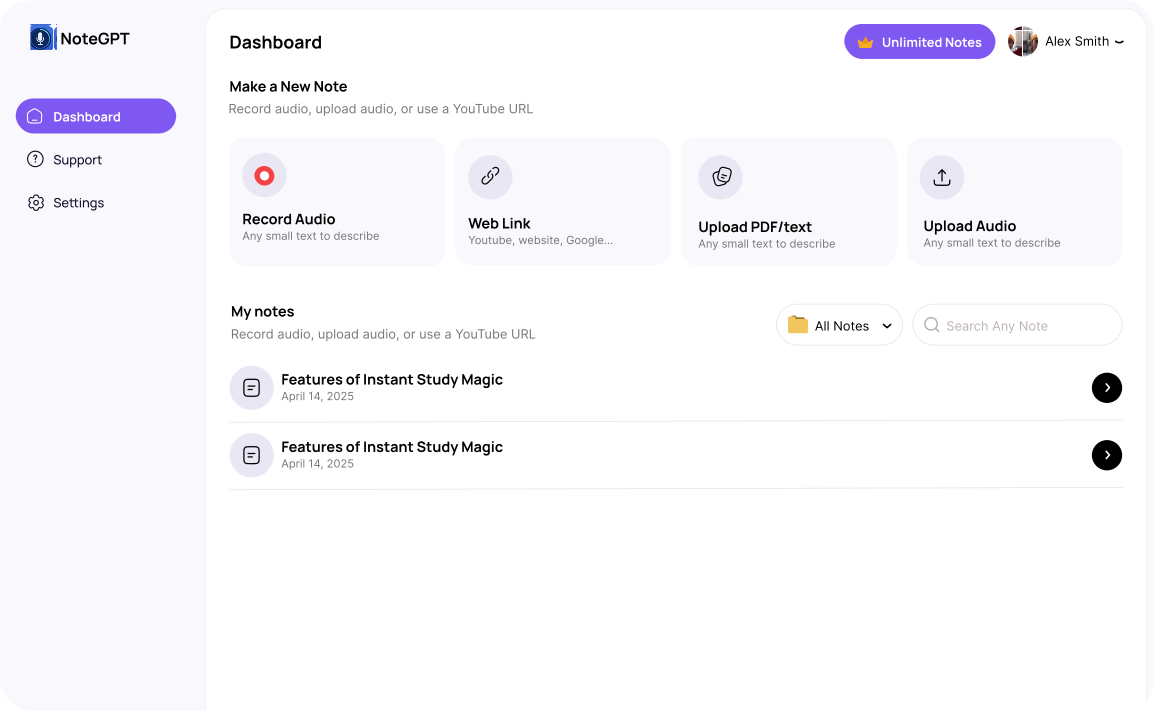
An AI note taker uses speech recognition and natural language processing to do the work that used to come after the recording.
While the audio is being captured, or shortly after, the tool produces a written transcript, identifies who said what, generates a summary, and pulls out follow-ups and action items. The transcript is fully searchable, so finding a quote from a meeting three weeks ago takes a keyword search instead of an hour of playback.
Most current tools also handle the integration layer. Transcripts and summaries can be pushed automatically to Slack, Notion, a CRM, or a calendar event. Many platforms support 30 or more languages and offer translation alongside transcription.
The leading AI note-taking platforms in 2026 each occupy a slightly different niche. Circleback is known for transcription accuracy, especially with interruptions and accented speech.
Granola combines live note-taking with AI enhancement, so the human stays in the loop. Fireflies is built around searchable meeting archives and CRM workflows. Fathom offers unlimited free recordings, which makes it a common starting point for individuals testing the category.
Side-by-side comparison
| Feature | Voice recorder | AI note taker |
|---|---|---|
| Primary output | Audio file (MP3, WAV) | Transcript, summary, action items |
| Post-recording work | Manual transcription and note-taking | Automated, available within minutes |
| Search | Limited or none | Full keyword search across all recordings |
| Internet needed | No, fully offline | Usually yes, for AI processing |
| Speaker identification | No | Yes, on most platforms |
| Sharing | Manual file transfer | Instant link sharing and team sync |
| Languages | Not applicable | 30 to 100+ with translation |
| Battery life (hardware) | Days to weeks | Hours, or tied to phone or laptop |
| Cost structure | One-time, $50 to $200 | Free tier plus $10 to $19 per month for Pro |
| Privacy model | Fully local | Cloud processing on most tools, encrypted |
When a voice recorder is still the right choice
For a category that looks dated next to AI tools, voice recorders hold up well in specific situations.
Offline reliability is the first one. If you work in environments without consistent internet, like remote sites, courtrooms, or international travel where roaming data is unreliable, a hardware recorder captures audio without depending on a connection. There is no transcription queue waiting for a server, no upload that might fail.
Audio quality is another. For podcast production, music recording, or any work that ends up in an audio editor, the uncompressed files from a dedicated recorder hold detail that compressed mobile recordings lose. Speech-optimized hardware microphones outperform laptop and phone mics in noisy rooms.
Legal documentation is a related case. A raw audio file with no AI processing in between is the cleanest chain of custody. Some jurisdictions and corporate compliance frameworks specifically require unprocessed audio for evidentiary purposes.
Privacy is the last big one. A hardware recorder that never connects to the internet keeps the recording entirely under your control. AI note takers process audio in the cloud, and while leading vendors use AES-256 encryption and short retention windows, that is still a different security posture than a file that lives only on a device in your bag.
When an AI note taker is the better fit
For most knowledge work in 2026, the math favors AI note takers. The recurring pattern is the same: someone records a meeting or interview, then spends hours afterward extracting the parts that matter. AI tools collapse that second step to near zero.
The clearest use cases:
- Recurring meetings. Standups, client calls, and internal syncs benefit from automatic summaries and action item extraction, especially when participants need to catch up later.
- Multi-speaker interviews. Journalist or research interviews with two or more voices are where speaker identification saves real time. Pulling a clean quote from speaker 2 takes seconds.
- Team collaboration. Instant sharing of notes with people who could not attend, plus searchable archives across months of meetings, is the kind of workflow a voice recorder cannot match without significant manual effort.
- Research-heavy writing. For article writing, podcast prep, or any work that pulls from multiple recorded sources, the ability to search across all transcripts at once is the productivity unlock.
- Multilingual work. Transcription and translation in 30 to 100 languages opens up sources that would otherwise sit on a shelf.
Hardware AI recorders vs app-based AI note takers
The AI note taker category itself splits into two formats: standalone hardware devices and software apps.
Hardware options like the Plaud NotePin, the soundcore Work clip-on, and the iFLYTEK Smart Recorder package the AI workflow into a dedicated wearable. They offer longer battery life than a phone, better microphones than a laptop, and the option of offline or local transcription. For people who record in person, in noisy environments, or in situations where pulling out a phone feels awkward, the hardware route works better.
App-based tools like Otter, Fireflies, and Limitless integrate more deeply with the rest of the work stack. They join Zoom, Teams, and Google Meet calls directly, push notes into CRMs, and live alongside the tools people already use for collaboration. For remote and hybrid teams, the app route is usually the easier fit.
Quick rule of thumb.
If most of your recordings happen on video calls, pick an app-based note taker. If most happen in person, in the field, or in environments where you want a dedicated device, look at hardware AI recorders or a traditional voice recorder paired with a transcription service.
What the pricing actually looks like
Dedicated voice recorders are a one-time purchase, generally between $50 and $200 depending on build quality, microphone, and storage. There are no subscriptions and no per-minute costs.
AI note takers are mostly subscription products with free tiers that have real limits. Two of the most common tools illustrate the structure:
- Otter. The Basic plan is free with 300 transcription minutes per month and a 30-minute cap per conversation. Pro is $8.33 per user per month billed annually or $16.99 monthly, with 1,200 transcription minutes per month. Business is $19.99 per user per month annual or $30 monthly, with unlimited meeting transcription and up to 6,000 imported-file minutes per user.
- Fireflies. Pricing includes four tiers: Free, Pro at $10 per user per month annual, Business at $19 per user per month annual, and Enterprise at $39 per user per month annual. The Free plan stores 800 minutes and comes with a limited one-time AI credit pool.
The catch with most AI note taker pricing is the credit and minute caps. Free tiers work for occasional use. Pro tiers cover most individual professionals. Teams with heavy meeting loads generally end up on Business plans, which is where unlimited transcription tends to live.
Privacy and data security
Privacy is the single biggest reason people stay loyal to traditional voice recorders. With a hardware device that never connects to a network, the recording exists only where you put it.
For AI note takers, the bar to clear is encryption in transit and at rest, short retention windows for cloud audio, and clear data deletion controls. Most premium tools advertise AES-256 encryption and the ability to delete recordings on demand. Free plans often have automatic deletion baked in, which is technically a privacy feature even if it is framed as a storage limit.
For regulated work like healthcare, finance, or legal services, the relevant questions are whether the vendor offers HIPAA or SOC 2 compliance, whether you can opt out of training data use, and whether the audio can be processed in a specific region. These are vendor-specific, and the answers change often enough that they should be checked at the time of purchase, not assumed.
How to pick between them
The decision usually comes down to four questions.
How much do you record, and how much do you need to do with it afterward? If you record occasionally and rarely revisit the audio, a voice recorder is enough. If you record often and the audio needs to become notes, summaries, or quotes, an AI note taker pays for itself quickly.
Where do you record? Reliable internet at the point of recording or shortly after means an AI note taker works. No internet, sensitive locations, or long field sessions point toward hardware.
Who else needs access? Solo workflows can run on either. Team workflows, especially ones where notes need to flow into shared tools, are where AI note takers earn their subscription.
What is the sensitivity of the content? For most business meetings, the encryption standards on leading AI tools are fine. For privileged conversations, anything covered by regulatory frameworks, or any situation where the audio needs to stay fully under your control, a local recorder is the safer call.
Final verdict
For knowledge work, meetings, and interviews in 2026, an AI note taker is the more productive tool by a wide margin. The time saved on transcription, the ability to search across an archive, and the speaker identification features make the subscription cost pay for itself within the first month for most professional users.
Voice recorders are not obsolete, but their role has narrowed. They are now best suited to offline work, audio production, legal evidence, and situations where complete local privacy is non-negotiable. For everything else, an AI note taker, whether app-based or a hardware recorder with built-in AI, is the better default.
FAQ
Can I use a voice recorder and an AI note taker together?
Yes, and many people do. Record on a hardware device for audio quality and offline reliability, then upload the file to an AI note taker for transcription and summarization. Most platforms accept MP3 or WAV file uploads on their paid tiers, though minute caps apply.
Are AI note takers accurate enough for legal or medical work?
Transcription accuracy on leading tools is high in good audio conditions, but for legal or medical documentation that needs to be word-perfect, human review of the AI transcript is still standard practice. Some vendors offer HIPAA-compliant tiers for healthcare use. For courtroom evidence, an unprocessed audio file remains the cleaner option.
What happens to my recordings if I cancel an AI note taker subscription?
Policies vary. Most tools retain your data for a short window after cancellation and then delete it. Some allow export of transcripts before cancellation. Before signing up, check the data export and deletion policy, especially if you plan to keep an archive long-term.
Do AI note takers work in languages other than English?
Yes. Most leading tools support 30 or more languages, with the top platforms covering 100 or more. Accuracy varies by language and accent, with English, Spanish, French, German, and Mandarin typically performing best.
Will an AI note taker join a meeting without participants knowing?
Most tools that join video calls show up as a visible participant, often named after the tool itself. This is intentional, both for transparency and to comply with consent laws in many jurisdictions. Some tools offer “bot-free” recording that captures audio from the host’s device without appearing as a participant, but the consent rules still apply.
Is there a free AI note taker that is actually usable?
Fathom offers unlimited free recordings, which is unusual in the category. Otter’s free plan covers 300 minutes per month with a 30-minute cap per conversation, which is enough for occasional use. Fireflies’ free tier includes 800 minutes of storage. For light use, free tiers are workable. For daily professional use, a paid plan is usually necessary within a few weeks.