

If you record lectures, sit through online classes, or run study groups, an AI note-taker can save you hours of replaying audio and retyping notes. The harder question is which one actually fits how you study.
Otter, Fireflies, and Notion AI all transcribe and summarize, but they were built around three different ideas of what a note-taker should be: a fast capture tool, an automation hub, and a workspace that stores everything in one place.
This guide compares the three through a student and self-learner lens, drawing on 2026 accuracy tests, hands-on reviews, and a task-extraction comparison. Pricing was verified directly against each provider’s current plans, and there is an honest look at the privacy questions that come with recording classmates and professors.
The goal is not to crown a single winner, it is to help you match the right tool to the way you learn.
Quick verdict: which one fits you?
- Choose Otter.ai if your main need is accurate, real-time captions and a searchable archive of lectures and recorded classes, and you mostly want a clean transcript rather than heavy automation.
- Choose Fireflies.ai if you attend a lot of online sessions across Zoom, Meet, and Teams, want a bot that joins automatically, and value searching across your entire history of recordings.
- Choose Notion AI if you already run your study life in Notion, and you want meeting notes, tasks, and class materials living together in one knowledge base instead of a separate app.
Quick comparison at a glance
| Dimension | Otter.ai | Fireflies.ai | Notion AI |
|---|---|---|---|
| Core idea | Real-time transcription and captions | Auto-joining bot plus cross-session search | Notes built into your Notion workspace |
| Best for | Lectures, recorded classes, solo study | Heavy online-class schedules, research interviews | Notion users who want one connected system |
| Transcription accuracy | Around 95% in 2026 tests | Around 90 to 93% | Competitive, less independent benchmarking |
| Languages | Strong in English, some others | 100+ languages supported | Mirrors Notion, strongest in English |
| Summaries and tasks | Good summaries, lighter on task extraction | Summaries, action items, topic search | Strong AI summaries and task generation in-page |
| How it captures audio | App and integrations, plus a meeting bot | Visible bot joins the call | Records inside a Notion page |
| Free tier | 300 min/month, 30 min per conversation cap | 800 min storage, limited AI credits | Workspace free, AI meeting notes need Business |
| Student-friendly pricing | 20% student discount on Pro | No formal student discount | Free workspace tier; AI notes are paid |
Pricing was checked against each provider’s current plans in mid-2026. Rates change often and vary by region, so confirm on the official pricing pages before you subscribe.
Key takeaways
- Otter is the strongest pure transcriber, but its free tier is tight and a 2025 privacy lawsuit has raised consent questions.
- Fireflies has the broadest reach (100+ languages, auto-joining bot, search across all your sessions), but the visible bot can be awkward in smaller classes or interviews.
- Notion AI is only worth it if you already live in Notion, and the meeting notetaker sits on the paid Business plan, not the free tier.
- For turning a transcript into a clean study task list, an AI reasoning layer (like Notion AI prompted on a transcript) tends to beat a raw transcription tool’s built-in features.
- The cheapest path for many students is a generous free transcriber for capture, paired with a free general AI tool for summaries and tasks.
1. Otter.ai: the transcription specialist
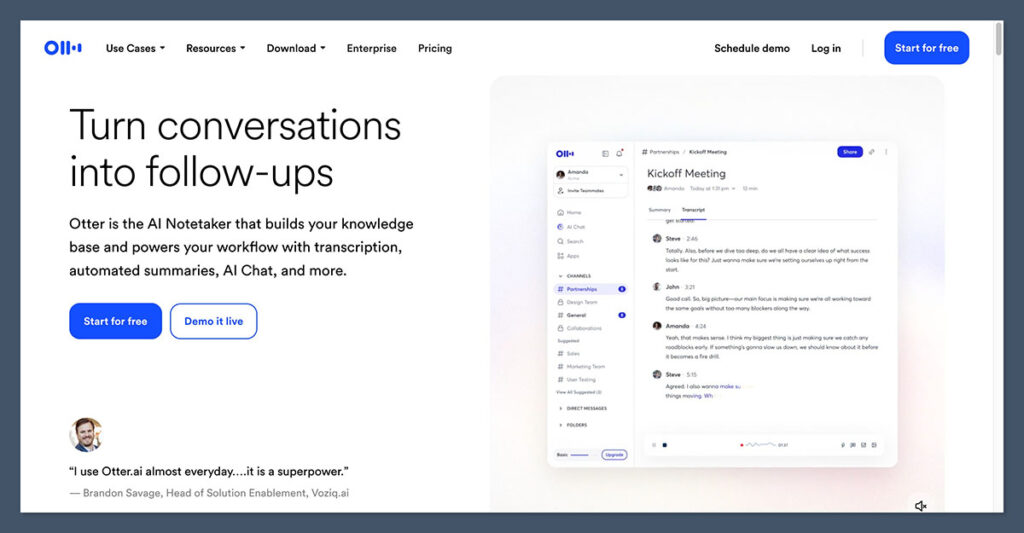
Otter built its reputation on doing one thing very well: turning speech into accurate, searchable text in real time.
For a student, that translates into live captions during a lecture, a running transcript you can highlight as the professor talks, and a searchable archive you can dig through before an exam.
What works well
- Leading transcription accuracy, around 95% in 2026 tests, which matters when a professor speaks quickly or uses technical terms.
- Fast real-time captions and collaborative live notes, useful for shared note-taking in a study group.
- Conversational search lets you ask questions like “what did the lecturer say about the deadline” and jump straight to that moment.
Where it falls short
- The free plan is limited: 300 minutes a month, a 30-minute cap per single conversation (so one long lecture gets cut in half), and only three lifetime file uploads.
- Feature development has slowed compared with newer competitors that push deeper into automation.
- A 2025 privacy lawsuit (covered below) has dented trust, which is worth weighing if you plan to record classmates or faculty.
Pricing
Otter’s free Basic plan gives 300 transcription minutes a month with a 30-minute cap per conversation. Pro costs $8.33 per user per month billed annually (about $16.99 month to month) and raises the cap to 1,200 minutes.
Business runs $19.99 per user per month annually (about $30 monthly) with unlimited transcription. Students get a useful break: a 20% student discount brings Pro down to roughly $6.67 per month on annual billing. There are no overage charges, so when you hit your minute cap the service simply stops until the next cycle.
Best for studying when: you mainly need clean, accurate transcripts and captions of lectures and recorded classes, and you are comfortable handling summaries and tasks yourself.
2. Fireflies.ai: the automation and search hub
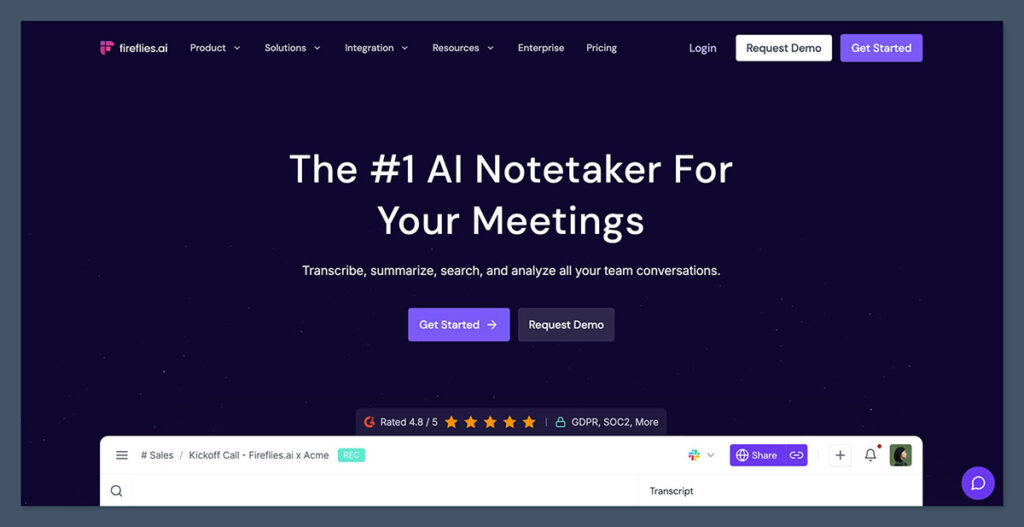
Fireflies leans toward people with a packed calendar of online sessions. Its bot joins your Zoom, Meet, or Teams calls automatically, records and transcribes them, and then lets you search across everything you have ever captured.
For students, the standout is that cross-session search: you can ask a question and pull answers from a whole semester of recorded classes, not just one transcript.
What works well
- Supports 100+ languages, the widest coverage of the three, which helps if you study in more than one language.
- An auto-joining bot means you do not have to remember to hit record before every class.
- Cross-session semantic search and topic tracking are genuinely handy for revision and research, letting you trace a theme across many sessions.
- A “Talk to Fireflies” feature lets you query your meetings, and even the web, through an embedded AI assistant.
Where it falls short
- Transcription accuracy sits slightly behind Otter, around 90 to 93% in independent tests.
- The visible bot can feel intrusive in small seminars, one-on-one interviews, or office hours, and some people simply do not like a bot appearing in the participant list.
- The free plan’s AI features run on a confusing credit system, and many of its deeper tools are aimed at sales teams rather than learners.
Pricing
The free plan includes 800 minutes of storage and a small one-time pool of AI credits, enough to test it but tight for daily use. Pro costs $10 per user per month billed annually (about $18 monthly) and unlocks unlimited transcription plus more storage, which is the tier most individuals land on.
Business at $19 per user per month annually (about $29 monthly) adds CRM and team features that most students will not need. There is no formal student discount, so compare the real cost against Otter’s discounted Pro plan.
Best for studying when: you attend many online classes and want them captured automatically, plus the ability to search across an entire term of recordings.
3. Notion AI: the connected workspace

Notion AI is different in kind from the other two. It is not a standalone note-taker, it is a feature inside Notion’s workspace.
If you already keep your readings, assignments, and project notes in Notion, its AI Meeting Notes can record a session straight into a page, transcribe and summarize it, and turn the discussion into tasks that live next to everything else. The value comes from connection, not from the recording itself.
What works well
- Meeting capture is embedded in Notion pages and databases, so notes sit alongside your class materials, reading lists, and to-do boards with no extra setup.
- Notion AI can summarize a transcript, answer questions about it, and push action items into your existing task databases.
- In task-extraction tests, prompting Notion AI on a transcript produced richer, better-structured task lists than a raw transcriber’s built-in features.
Where it falls short
- If you do not already use Notion, the value drops sharply; it is not a general-purpose tool you bolt onto any workflow.
- The dedicated meeting notetaker is newer and still maturing compared with specialist transcribers.
- Centralizing everything in one platform creates a degree of lock-in, since your notes, tasks, and audio all live in the same place.
Pricing
This is the part to read carefully. Notion’s free plan covers a capable personal workspace, but the AI Meeting Notes feature is not fully unlocked there. In 2026 Notion folded its AI features into the Business plan rather than selling a cheap add-on, so the meeting notetaker effectively sits on Business at $15 per user per month billed annually (about $18 monthly).
The Plus plan at $10 per user per month annually adds collaboration features but not the full AI suite. Students and educators can often get an upgraded workspace through Notion’s education offering, but availability and what it includes have shifted, so verify current education terms before counting on free AI notes.
Best for studying when: Notion is already your operating system for school, and you want meeting notes, tasks, and course materials connected in one knowledge base.
Turning a lecture into a study task list
For students, the real payoff is not the transcript itself, it is how cleanly a tool turns a recorded session into things you can actually act on: assignments, deadlines, and who owes what in a group project. This is where the three tools diverge sharply.
In one 2026 comparison that scored each option on extracting tasks from a raw transcript, the pattern was clear.
A pure transcriber’s built-in features caught only a little over half of the action items, assigned owners inconsistently, and missed deadlines almost entirely. An AI reasoning layer prompted on the same transcript caught the large majority of action items, assigned most owners correctly, and pulled out deadlines reliably.
A hybrid approach, capturing audio with a transcriber and then prompting an AI on the resulting transcript, scored highest of all.
The practical lesson: a transcriber is mainly a capture tool. If clean, structured study tasks matter to you, plan to run the transcript through an AI summarizer afterward, whether that is Notion AI, the assistant built into Fireflies, or a free general AI tool you paste your notes into.
Privacy and consent: what students should know
Recording is not a neutral act, especially when classmates and professors are in the room. Each tool carries a different kind of risk.
- Otter (legal and trust risk): In August 2025, a federal class-action lawsuit accused Otter of recording private conversations without sufficient consent. Whatever the outcome, it is a reminder to tell people clearly when you are recording and to check your institution’s policy first.
- Fireflies (visibility and policy risk): Its bot is visible in the participant list, which is more transparent in one sense but can clash with classes or interviews where third-party bots are not allowed.
- Notion AI (centralization risk): The concern here is concentration, since your notes, tasks, and audio all sit inside one platform. That is convenient, but it also means more of your study data lives in a single place.
Whichever you choose, the safe habit is simple: get clear consent before recording any session that includes other people, and check whether your school or course has rules about recording lectures.
How to choose for the way you study
- You record lectures solo and want accurate text: Otter, ideally on the discounted student Pro plan if you go past the free minutes.
- You have back-to-back online classes and want them captured automatically: Fireflies, for its auto-joining bot and cross-session search.
- You already run school out of Notion: Notion AI, so notes and tasks stay connected, accepting that the notetaker is a paid Business feature.
- You are on a tight budget: pair a free transcriber with a free general AI tool for summaries and tasks, which often beats paying for any single product.
- You study in multiple languages: Fireflies, for its 100+ language coverage.
How this comparison was put together
| Factor | How it was assessed |
|---|---|
| Accuracy | 2026 transcription accuracy figures from independent test reports |
| Features | Vendor documentation and hands-on reviews of each tool’s notetaking, search, and summary capabilities |
| Task extraction | A 2026 comparison scoring action-item, owner, and deadline capture from a shared transcript |
| Pricing | Verified against each provider’s current plans in mid-2026, with student options noted |
| Privacy | Public reporting on consent, bot visibility, and data centralization |
Final verdict
There is no single best AI note-taker for studying, only the one that matches your habits.
Otter is the cleanest pure transcriber and the easiest entry point for capturing lectures, though its free tier is tight and its privacy questions are worth taking seriously.
Fireflies is the most automated and the most multilingual, best when you have a heavy schedule of online sessions and want to search across all of them.
Notion AI is the smartest choice only if Notion is already your home base, because its strength is connection rather than recording.
If you are unsure, start free: test Otter for raw capture quality and Fireflies for hands-off recording, and lean on a free AI tool to handle summaries and task lists. Once you know whether you value accuracy, automation, or an all-in-one workspace most, the paid decision gets easy.
Frequently asked questions
Which AI note-taker is most accurate for lectures?
Otter leads on transcription accuracy, scoring around 95% in 2026 tests, with Fireflies close behind at roughly 90 to 93%. Accuracy still depends heavily on audio quality, so a decent microphone or a clear recording matters more than small differences between tools.
Is there a genuinely free option for students?
Yes, but with limits. Otter’s free plan offers 300 minutes a month with a 30-minute cap per recording. Fireflies offers 800 minutes of storage with limited AI credits. Notion’s workspace is free, but its AI Meeting Notes feature is part of the paid Business plan. Many students get the best value by pairing a free transcriber with a free general AI tool for summaries.
Do these tools work for languages other than English?
Fireflies has the widest coverage with support for over 100 languages. Otter is strongest in English with some additional languages, and Notion AI mirrors Notion’s language support, with its AI performing best in English.
Can I get a study task list automatically, not just a transcript?
Partly. Transcription tools are mainly built to capture speech, and their built-in task extraction is inconsistent, especially with deadlines. For a reliable task list, run the transcript through an AI summarizer afterward, such as Notion AI, Fireflies’ assistant, or a free general AI tool.
Is it legal to record my lectures?
It depends on your location and your institution’s policy. Recording rules vary, and recording other people can raise consent issues, as the 2025 lawsuit against Otter highlighted. Always check your school’s policy and tell others when a session is being recorded.
Do I need to pay to make these tools useful?
Not necessarily for light use. Free tiers are fine for testing and occasional recording. If you record regularly, the limits arrive quickly, and a paid plan (Otter Pro with the student discount, or Fireflies Pro) becomes worthwhile. Notion AI is the exception, since its notetaker requires a paid plan from the start.
This article is intended as general guidance. Tool features and pricing change frequently, so confirm current details on each provider’s official site before subscribing.
